
Exporting users
Select authorised users, fields and formats, then create a protected resumable export.
Open the export workflow
Select Export users from the User Import & Export dashboard. The export page combines user filters, user selection, field order and file-format options.
User exports contain personal data. Store them securely, share them only with authorised recipients and delete them when they are no longer needed.
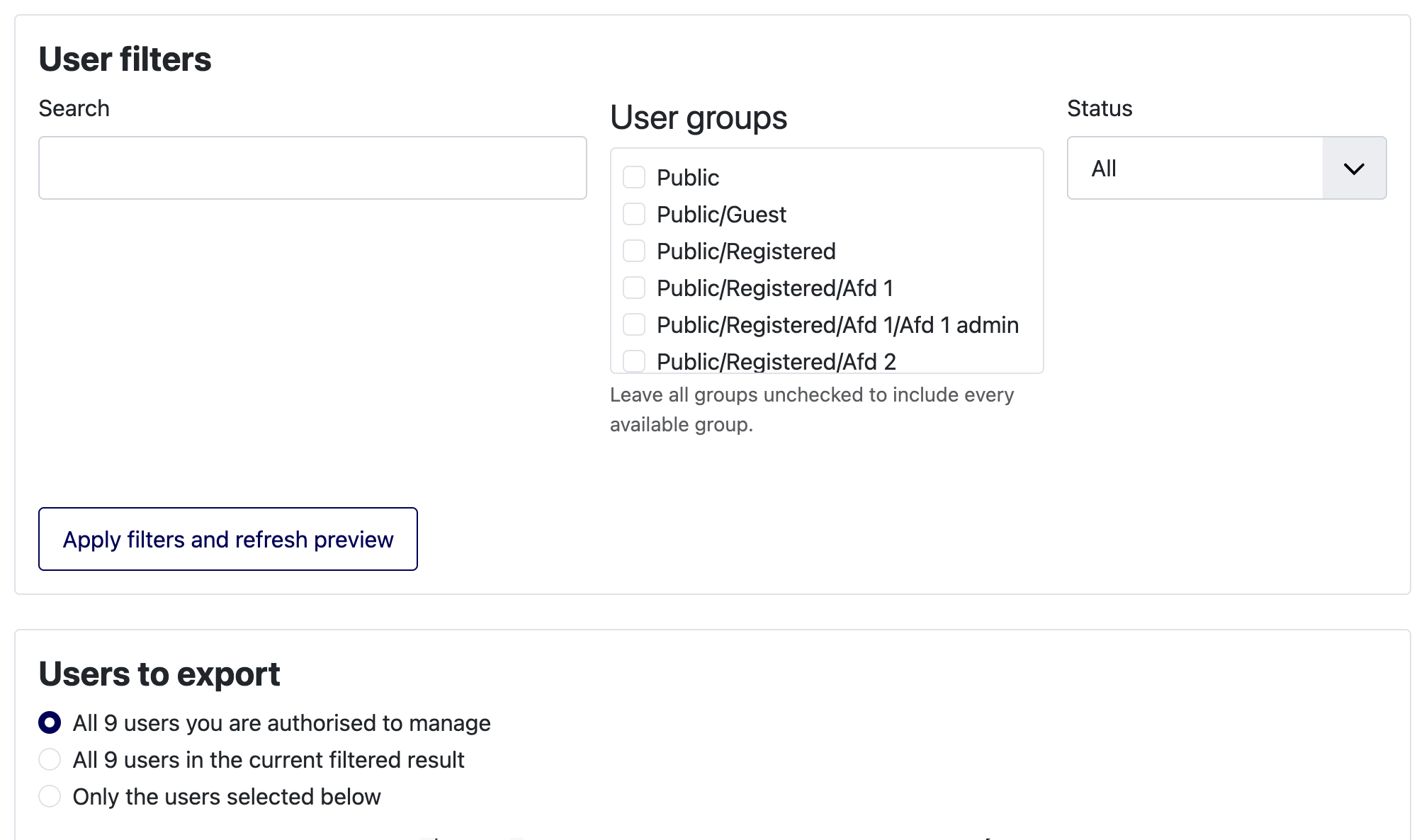
Filter and select users
Apply the available search, status and user-group filters, then choose one of the selection scopes:
- All users you are authorised to manage
- All users in the current filtered result
- Only users selected in the preview
Leaving all group filters unchecked includes every available group. The server applies permissions to the final selection; changing browser values cannot add unauthorised users.
Select fields and column order
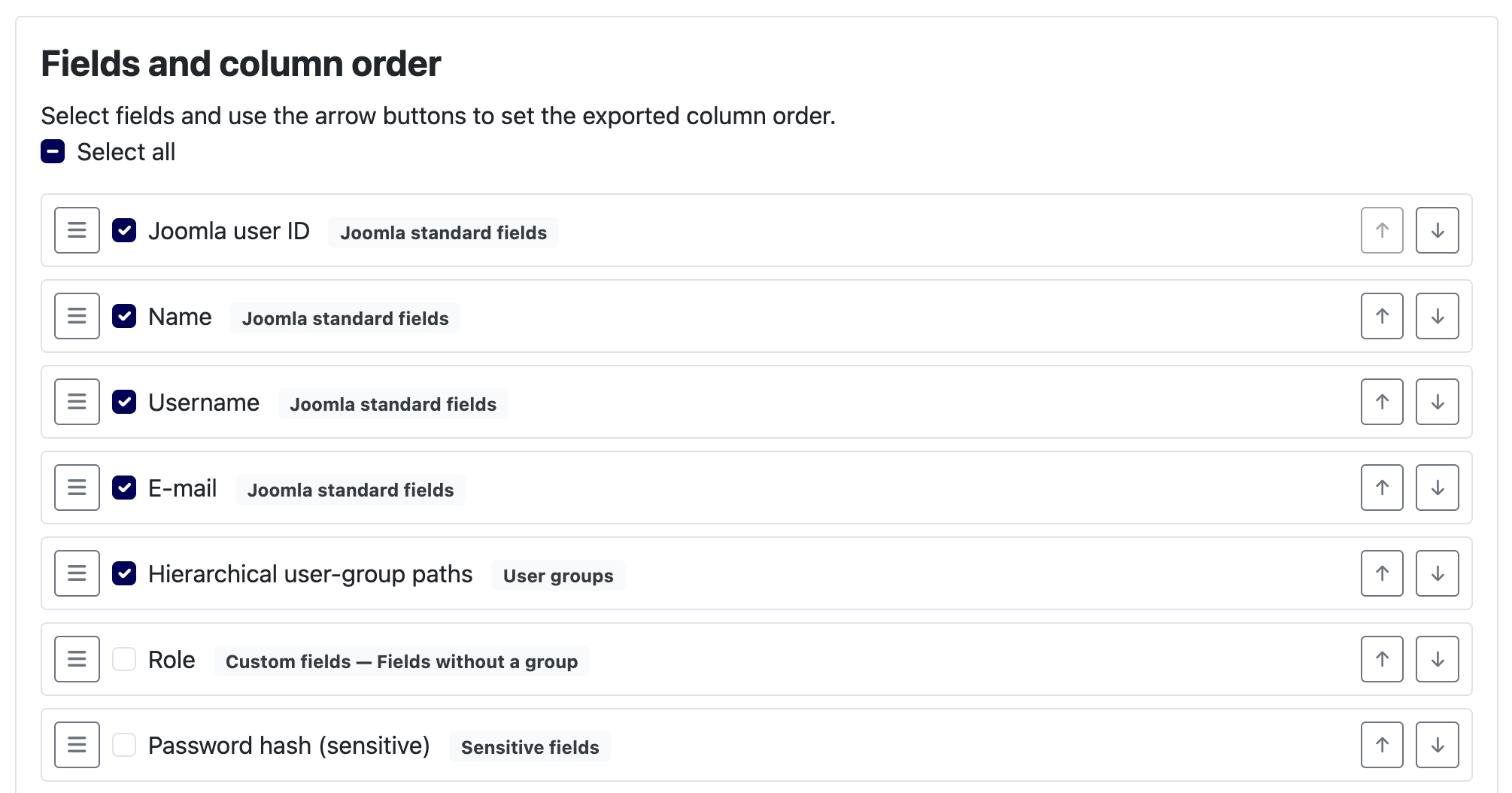
Choose fields from Joomla standard fields, user status, user groups, dates and metadata, supported custom fields and—only when fully authorised—the sensitive password-hash field.
Set the column order by dragging the handles, using Alt+Up/Down on a handle or selecting the adjacent arrow buttons. The keyboard and button controls provide the same result as dragging.
Choose a file format
| Option | Use |
|---|---|
| CSV | Efficient for large datasets and integrations. Choose delimiter, enclosure and optional UTF-8 BOM. |
| XLSX | Convenient for direct review in modern spreadsheet applications. |
| Translated field label | Readable headings in the active language. |
| Technical field name | Joomla-oriented field names. |
| Stable machine heading | Predictable headings for recurring integrations. |
Values that could be interpreted as spreadsheet formulas are written safely. Text identifiers such as values with leading zeroes are preserved.
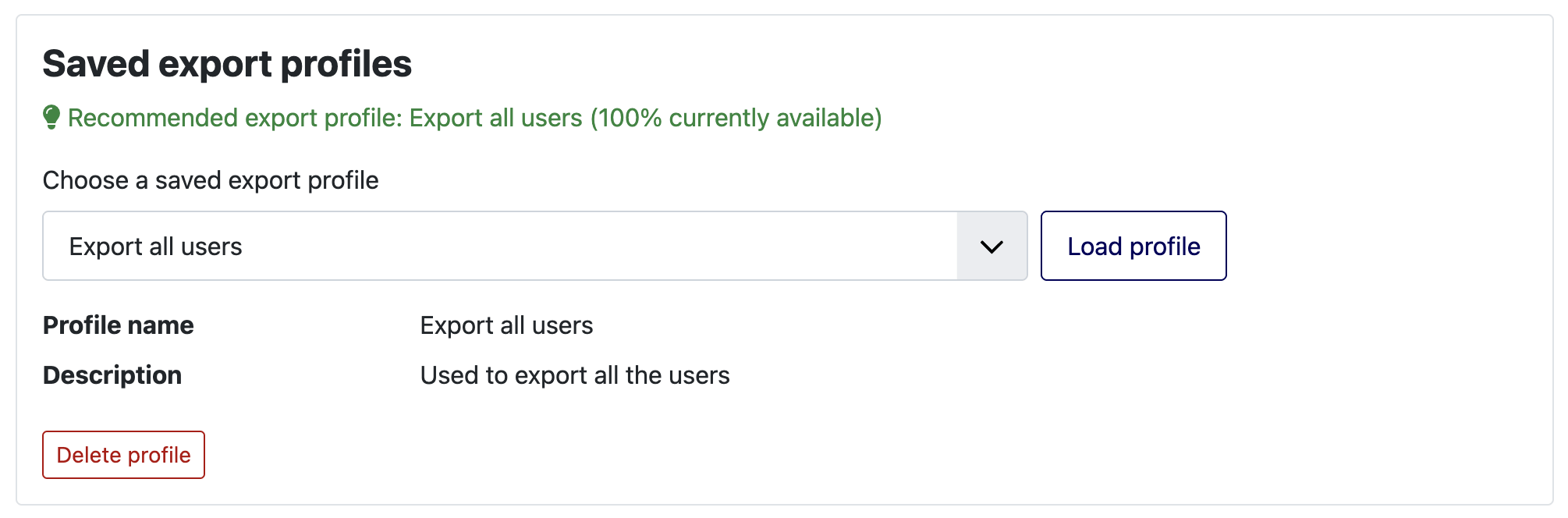
Saved export profiles
A saved export profile can retain field order, non-sensitive format settings and authorised group/status filters. It never stores selected user IDs, search text, password hashes or private paths.
- Configure the fields, order, filters and file format.
- Enter a clear profile name and optional description.
- Save as a new profile or update the profile you intentionally loaded.
- Review all settings whenever a saved profile is applied.
Create and download the export
Click Start export. Users are processed in resumable batches; you can return to the job from the dashboard after closing the browser. When the result is ready, click Download protected export before it expires.
